
Subaru Legacy BN/BS (2015-2019) Service Manual: Removal
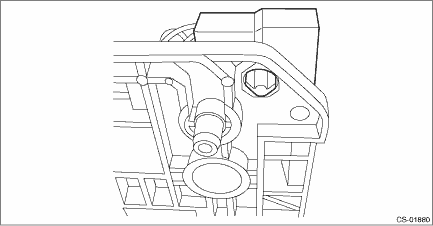
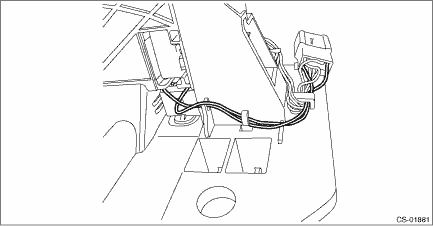
1. SOLENOID UNIT 1. Remove the select lever with the select cable connected. Select Lever > REMOVAL 2. Remove the spacer and gasket. Select Lever > REMOVAL 3. Remove the harness connector from the select lever COMPL.
4. Remove the harness from the select lever COMPL.
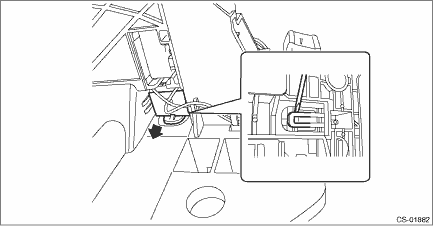
5. Raise the claw using a flat tip screwdriver with a thin tip, and remove the solenoid unit from the select lever COMPL.
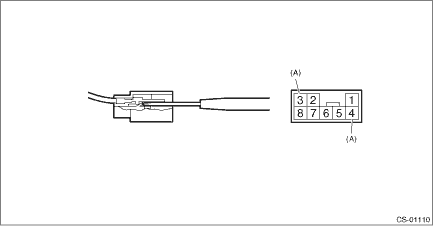
6. Remove the terminal of the solenoid unit using a flat tip precision screwdriver with a tip width of 1.3 mm (0.05 in) or less, KTC connector terminal tool ECC-1T or equivalent.
2. “P” RANGE SWITCH The “P” range switch cannot be removed as a single unit. Therefore, replace the AT select lever COMPL. Select Lever > REMOVAL |

 Inspection
STEPCHECKYESNO1.CHECK SOLENOID UNIT.Measure the resistance of solenoid unit connector terminals.TerminalsNo. 4 — No. 3:Is the resistance 27.6 — 30.5 -- AT Shift Lock Solenoid and “P” R ...
Other materials:
Basic diagnostic procedure procedure
CAUTION:• The power steering control module continues to operate after the engine stops and calculate the temperature in the control module. Therefore, before starting service of the power steering system which requires disconnection of the connector, stop the engine and allow approx. 30 minut ...
