
Subaru Legacy BN/BS (2015-2019) Owners Manual: Selecting a station from the list (if equipped)
Subaru Legacy BN/BS (2015-2019) Owners Manual / Audio / Audio set / AM/FM radio / Selecting a station from the list (if equipped)
A station list can be displayed.
Update the station list Touch the "Update Station List" key on the station list screen and the following screen will be displayed.
NOTE
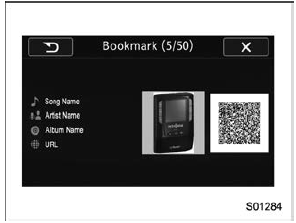
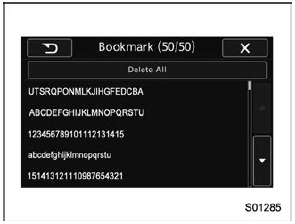
Bookmark the list You can store and call up the received data (images, song titles, artist names, etc.). The stored data is displayed as a list.
Delete bookmark from the list
|
 tab
tab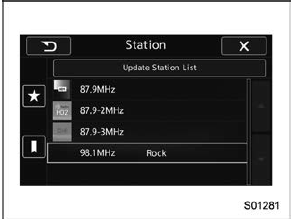
 tab and the
station list will
appear.
tab and the
station list will
appear.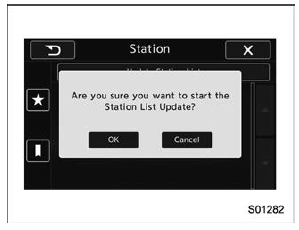
 tab on the
station list
screen and the following screen will be displayed.
tab on the
station list
screen and the following screen will be displayed.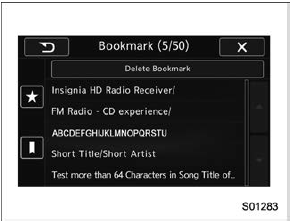
 Control screen and audio panel
No.
Function
1
Select to display the audio source
selection screen
2
Select to change the band.
3
The HD Radio indicator on the top
righ ...
 Radio settings
You can perform various radio settings.
Touch the tab.
Select the desired item from the
following table.
Item
Function
HD (if
equipped)
Select ...
Other materials:
Installation
1. PRE-COLLISION BRAKE OFF SWITCH/LANE DEPARTURE WARNING OFF SWITCH1. Install the pre-collision brake OFF switch or the lane departure warning OFF switch.2. Install the cover assembly - instrument panel LWR driver.3. Connect the ground terminal to battery sensor. NOTE2. EyeSight STEERING SWITCHNOTE ...
© 2017-2026 Copyright www.sulegacy.com
