
Subaru Legacy BN/BS (2015-2019) Owners Manual: Entering letters and numbers/list screen operation
Subaru Legacy BN/BS (2015-2019) Owners Manual / Audio / Audio set / Basic information before use / Entering letters and numbers/list
screen operation
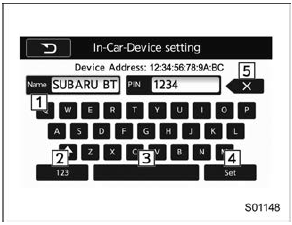
Entering letters and numbers When entering the Bluetooth device name or PIN-code, or the phone number, letters and numbers can be entered via the screen.
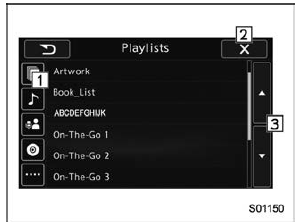
List screen
|
 Touch screen operation
This system is operated mainly by the
keys on the screen.
When a screen key is touched, a beep
sounds. You can set the beep sound.
Refer to "Unit settings" .
NOTE
If the system does ...
 Initial screen
When the ignition switch is in the "ACC" or
"ON" position, the initial screen will be
displayed and the system will begin
operating.
When using the SUBARU STARLINK
function (if equipped), ...
Other materials:
Steering warning light does not come on
1. POWER STEERING ASSIST ENABLEDDETECTING CONDITION:• Defective combination meter• Defective harnessTROUBLE SYMPTOM:When the ignition switch is turned to ON (engine OFF), the STEERING warning light does not illuminate.NOTE:It is operating normally if the warning light illuminates when th ...
© 2017-2026 Copyright www.sulegacy.com
