
Subaru Legacy BN/BS (2015-2019) Service Manual: Removal
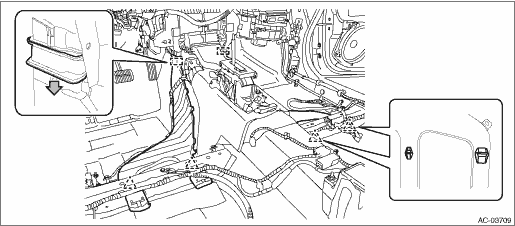
1. REAR HEATER DUCT CAUTION: Before handling the airbag system components, refer to “CAUTION” of “General Description” in “AIRBAG SYSTEM”. General Description > CAUTION 1. Disconnect the ground terminal from the battery sensor, and wait for at least 60 seconds before starting work. NOTE 2. Turn over the floor mat. Floor Mat > REMOVAL 3. Remove the rear heater duct. (1) Release the clips, and remove the adapter cord. (2) Remove the slide lock of the duct - rear heater. (3) Release the claws, and then remove the duct - rear heater LH and RH.
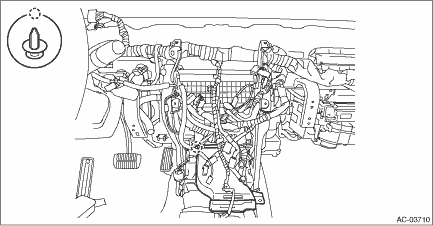
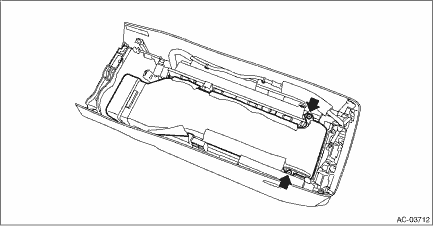
NOTE: For models with amplifier, remove the extension duct. 2. CONSOLE DUCT Front CAUTION: Before handling the airbag system components, refer to “CAUTION” of “General Description” in “AIRBAG SYSTEM”. General Description > CAUTION 1. Disconnect the ground terminal from the battery sensor, and wait for at least 60 seconds before starting work. NOTE 2. Remove the cover assembly - front and the console box assembly. Console Box > REMOVAL 3. Remove the clips, and remove the duct - console center.
4. Remove the instrument panel assembly. Instrument Panel Assembly > REMOVAL 5. Remove the clips, and remove the duct - console front.
Center 1. Disconnect the ground terminal from the battery sensor, and wait for at least 60 seconds before starting work. NOTE 2. Remove the cover assembly - front and the console box assembly. Console Box > REMOVAL 3. Remove the clips, and remove the duct - console center.
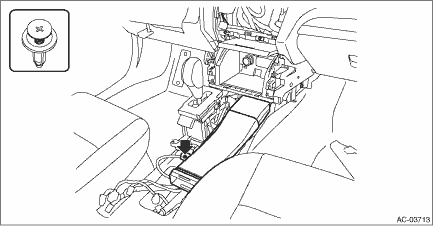
Rear 1. Disconnect the ground terminal from the battery sensor, and wait for at least 60 seconds before starting work. NOTE 2. Remove the cover assembly - front and the console box assembly. Console Box > REMOVAL 3. Remove the screws, and remove the duct - console rear.
|
 Heater duct
...
 Inspection
1. Check installation condition of duct. Connect the duct properly if defective.2. Check that no foreign matter is mixed in the duct. Remove the foreign matter if any. ...
Other materials:
Replacing battery
The access key / transmitter battery may
be discharged under the following conditions.
The operation of the keyless access
function is unstable
The operating distance of the remote
keyless entry system is unstable
The transmitter does not operate properly
when used w ...
