
Subaru Legacy BN/BS (2015-2019) Service Manual: Removal
1. GLOVE BOX LIGHT 1. Disconnect the ground terminal from battery sensor. NOTE 2. Remove the pocket assembly. Glove Box > REMOVAL 3. Remove the light - pocket cover. CAUTION: When using a flat tip screwdriver, apply protective tape or cloth and be careful not to cause damage. (1) Release the claws. (2) Disconnect the connector, and remove the light - pocket cover. 4. Release the claws, and remove the light - pocket.
2. POCKET LIGHT 1. Disconnect the ground terminal from battery sensor. NOTE 2. Remove the heater control assembly. Control Panel > REMOVAL 3. Remove the light - pocket. CAUTION: When using a flat tip screwdriver, apply protective tape or cloth and be careful not to cause damage. (1) Disconnect the connector. (2) Release the claws, and remove the light - pocket.
3. DOOR POCKET LIGHT 1. Disconnect the ground terminal from battery sensor. NOTE 2. Remove the trim panel - front door. Door Trim > REMOVAL 3. Release the claws, and remove the light - door pocket. CAUTION: When using a flat tip screwdriver, apply protective tape or cloth and be careful not to cause damage.
|
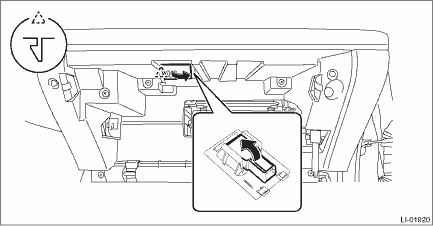
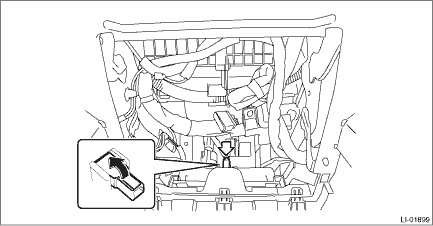
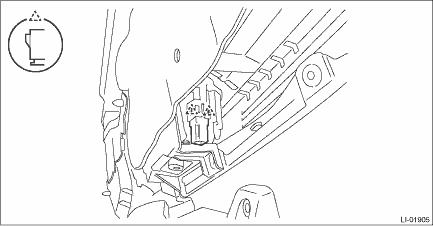

 Installation
1. GLOVE BOX LIGHT1. Install the light - pocket.2. Install the light - pocket cover.3. Install the pocket assembly.4. Connect the ground terminal to battery sensor. NOTE2. POCKET LIGHT1. Install the ...
Other materials:
Dtc p0137 o2 sensor circuit low voltage bank 1 sensor 2
DTC DETECTING CONDITION:Detected when two consecutive driving cycles with fault occur.CAUTION:After servicing or replacing faulty parts, perform Clear Memory Mode Clear Memory Mode > OPERATION, and Inspection Mode Inspection Mode > PROCEDURE.WIRING DIAGRAM:• Engine Electrical System ENGINE T ...
