
Subaru Legacy BN/BS (2015-2019) Service Manual: Removal
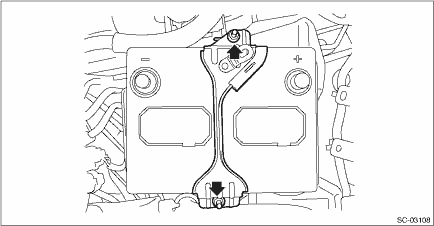
1. BATTERY 1. Disconnect the ground terminal from battery sensor. NOTE 2. Remove the battery sensor. Battery Sensor > REMOVAL 3. Disconnect the positive terminal of battery. 4. Remove the battery holder from the battery box.
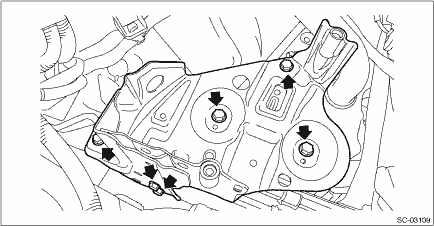
5. Remove the battery and battery pan. 2. BATTERY BOX 1. Remove the battery. Battery > REMOVAL 2. Remove the battery box.
|
 Inspection
WARNING:• As batteries produce flammable gases, be careful not to bring an open flame close to the batteries.• Ventilate sufficiently when using or charging battery in enclosed space.&bull ...
 Installation
1. BATTERY1. Install the battery and battery pan.2. Install the battery holder, and install the bolts to the battery box.NOTE:Check that the rod (b) of the battery holder is inserted into the hole (a) ...
Other materials:
Inspection
1. MAIN SWITCH• Driver’s seat (model with AUTO)CAUTION:• Since the switch - power window main is controlled by CPU, do not check continuity for switch alone with the circuit tester. Performing continuity check with circuit tester can damage the switch - power window main circuit.&b ...
© 2017-2026 Copyright www.sulegacy.com
